Integrations
Social Login
Let customers sign in with Google, Facebook or Apple. This page covers the website; the apps use native Google/Facebook/Apple sign-in configured in each app's Firebase & Login page.
Where to configure (website)
Admin → Settings → Login Setting. That tab lists every sign-in method — email/password, phone OTP, Google, Facebook and Apple. Switch a provider on and its Client ID / Client Secret boxes appear underneath.
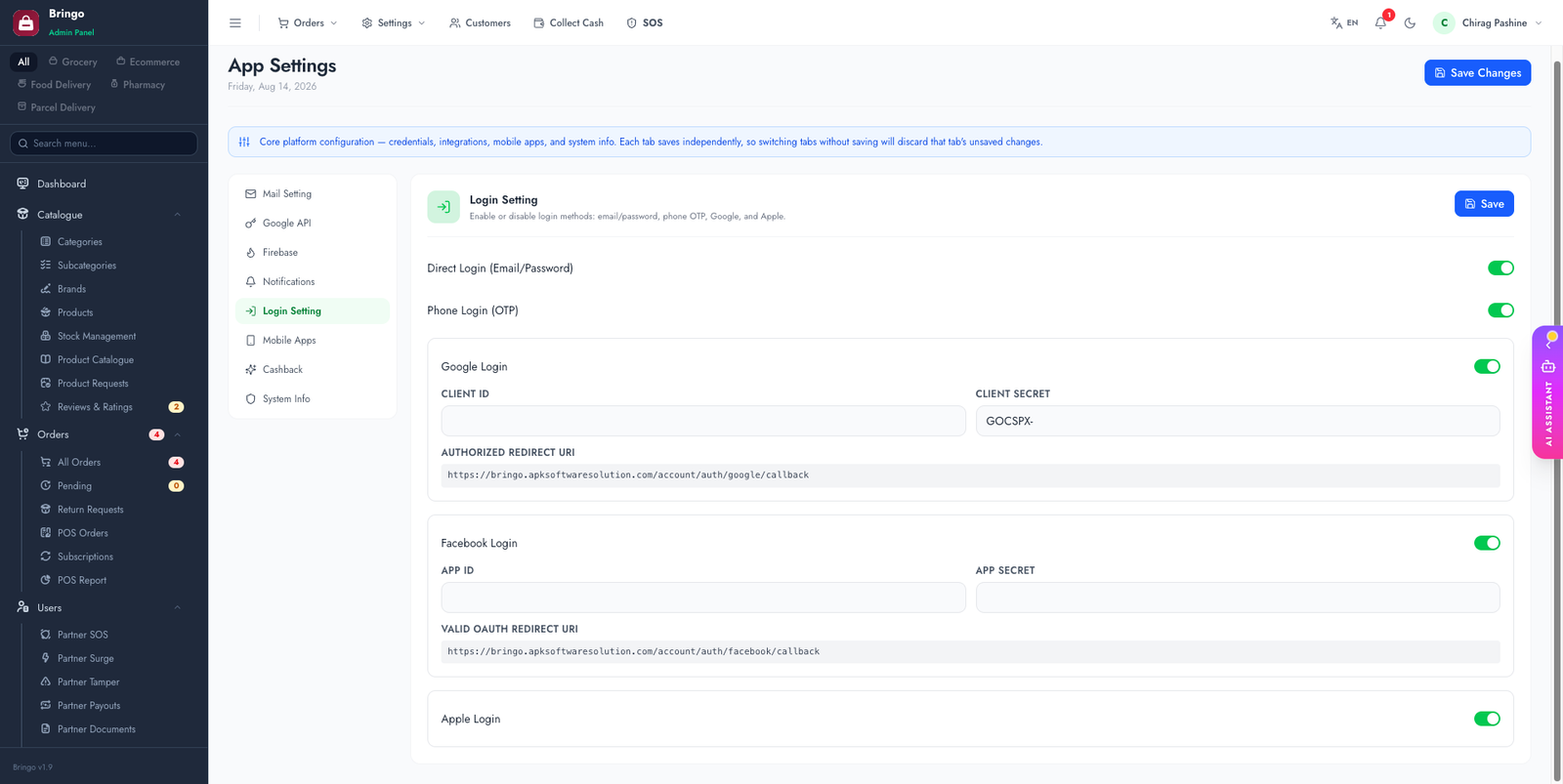
- Google Cloud Console → APIs & Services → Credentials → Create OAuth client ID → Web application. (See the Google Cloud guide.)
- Authorized redirect URI:
https://your-domain.com/account/auth/google/callback - Copy the Client ID and Client Secret into the admin Social Login fields.
- developers.facebook.com → create an app → add Facebook Login. (See the Facebook App guide.)
- Valid OAuth redirect URI:
https://your-domain.com/account/auth/facebook/callback - Copy the App ID and App Secret into the admin Social Login fields.
- Switch the app to Live mode in the Facebook dashboard so all users can log in.
🔗
The redirect URI must match exactly (including
https and no trailing slash) or the provider will reject the login.📱
Turning a provider on here also tells the apps to show that login button. But the apps still need their own native keys (Google web client id, Facebook app id) baked in at build time — see the app Firebase & Login page.
Apple
Apple sign-in is mandatory if you publish an iOS app that offers Google or Facebook login — App Review rejects builds that offer third-party sign-in without it.
- Apple Developer → Certificates, Identifiers & Profiles → your App ID → enable Sign In with Apple.
- Create a Services ID for the website, with your domain and the return URL
https://your-domain.com/account/auth/apple/callback. - Create a key with Sign In with Apple enabled and download the
.p8(once only). - Paste the Services ID, Team ID, Key ID and key contents into the admin Login Setting fields.
🕶️
Apple lets users hide their real address and supply a relay address instead, and it returns the person's name only on the very first authorisation. The platform stores what it receives on that first sign-in; if you delete the account and sign in again, Apple sends no name and the profile appears blank until the user fills it in.
Verify each provider
Test in a private window while signed out of the provider — an already-authorised session can mask a broken configuration:
- Open
https://your-domain.com/account/loginand press the provider button. - You should land on the provider's consent screen showing your app name — not an error, and not someone else's brand.
- After approving you should return signed in, and the account should appear in Admin → Customers.
Troubleshooting
http vs https, a www. difference, or a trailing slash. They must match character for character.👉
Next: Push Notifications (FCM).