Integrations
Firebase OTP (phone auth)
Firebase Phone Authentication is a free alternative to paid SMS gateways. The app gets a verified token from Firebase; your server validates it. No per-SMS cost.
🔥
Use this instead of an SMS gateway for OTP login. It needs your own Firebase project — the same one you'll use for push notifications.
How it works
- App requests OTP The Firebase SDK sends the code and handles verification on the device.
- App receives a Firebase ID token once the user enters the code.
- Server verifies the token against your Firebase project and logs the user in.
Setup
- Create a Firebase project (or reuse your push one) — see the Firebase Project guide.
- Enable Phone in Firebase → Authentication → Sign-in method.
- Register your apps in Firebase (Android package + iOS bundle id) and add the Android SHA-1 / SHA-256 fingerprints (required for phone auth). See the guide.
- Put the config files in the apps (
google-services.json/GoogleService-Info.plist) — see each app's Firebase page. - In the admin panel, open Admin → SMS Gateway, choose Firebase as the active OTP provider, and enter your Firebase Project ID.
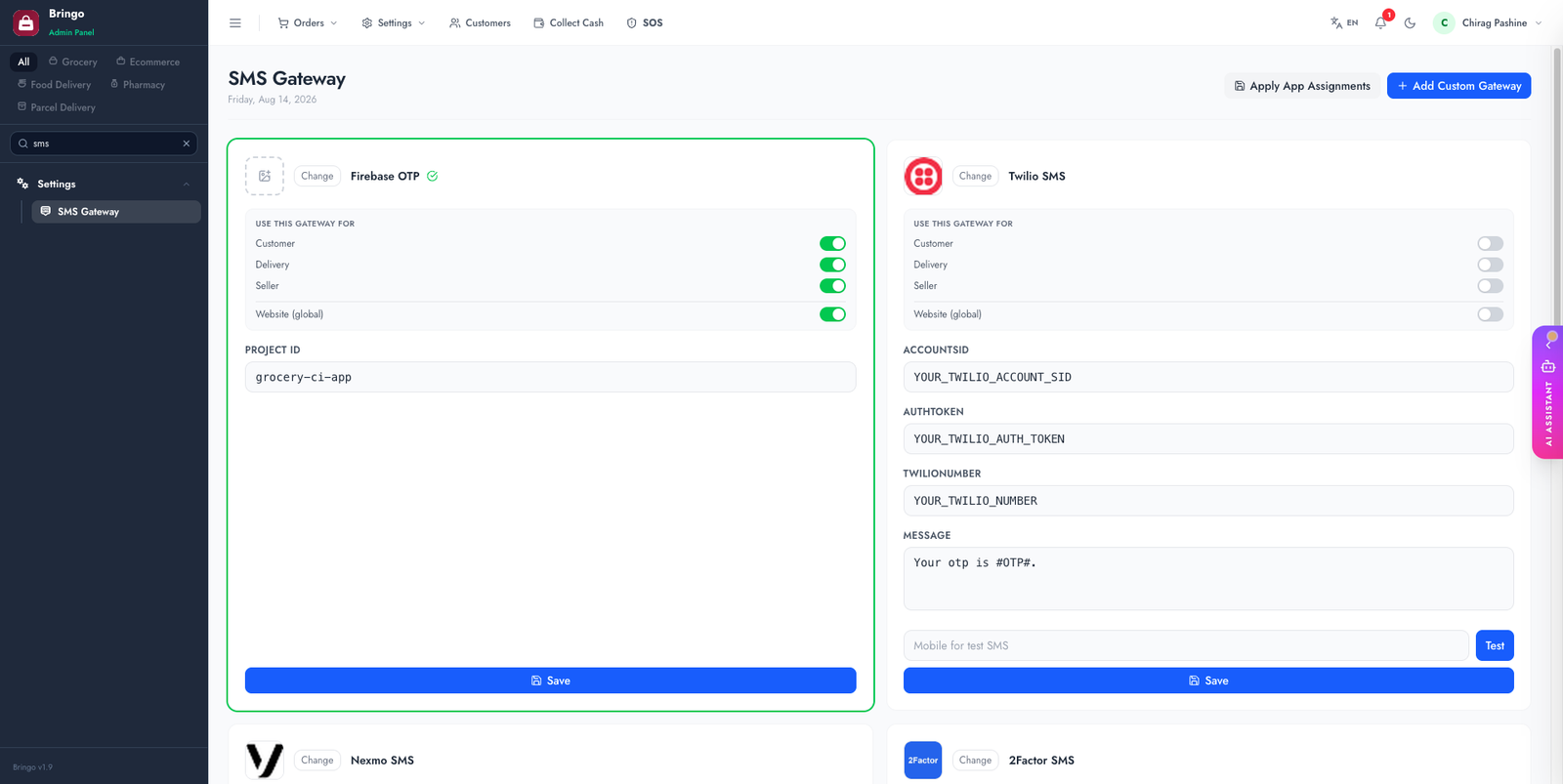
📱
Phone auth only works in the mobile apps (where the Firebase SDK runs). The apps must be built with your Firebase config. On the website, OTP still uses an SMS gateway.
Test without spending SMS quota
Firebase lets you define fixed test numbers that always accept one fixed code and never send a real message — essential while developing, and the safest way to give an app-store reviewer a working login.
- Firebase Console → Authentication → Sign-in method → Phone.
- Phone numbers for testing → add a number and the code it should accept.
- Sign in with that number in the app — the code works instantly, with no SMS sent.
🧾
Phone auth has a free daily allowance, then bills per verification. Firebase also blocks a project that suddenly spikes, which looks exactly like "OTP stopped working" — check the Firebase usage page before assuming a code bug.
Authorised domains
Web OTP only runs on domains you have allow-listed: Firebase Console → Authentication → Settings → Authorised domains. Add your live domain (and localhost for development). A missing entry is the usual cause of OTP working in the app but failing on the website.
Troubleshooting
👉
Next: Social Login.