Integrations
SMS Gateways
SMS gateways send the one-time passcodes (OTP) used for phone-number login and verification. Configure them in Admin → SMS Gateway.
📨
Built-in providers: Twilio, Vonage (Nexmo), MSG91, 2Factor.in and Fast2SMS — plus Firebase OTP, which is free and needs no SMS account. You can also add your own provider with the custom gateway builder.
General steps
- Open Admin → SMS Gateway.
- Fill in a provider's credentials (below) and save.
- Choose where it is used — each gateway card has toggles for Customer, Delivery, Seller and Website (global). You can send app OTPs through one provider and website OTPs through another; each target belongs to one gateway at a time.
- Send a test SMS — enter a mobile number in the box on the gateway card and send. This is the fastest way to prove credentials work.
💬
Message templates use
#OTP# as the placeholder for the generated code (custom gateways also support #MOBILE# and #MESSAGE#).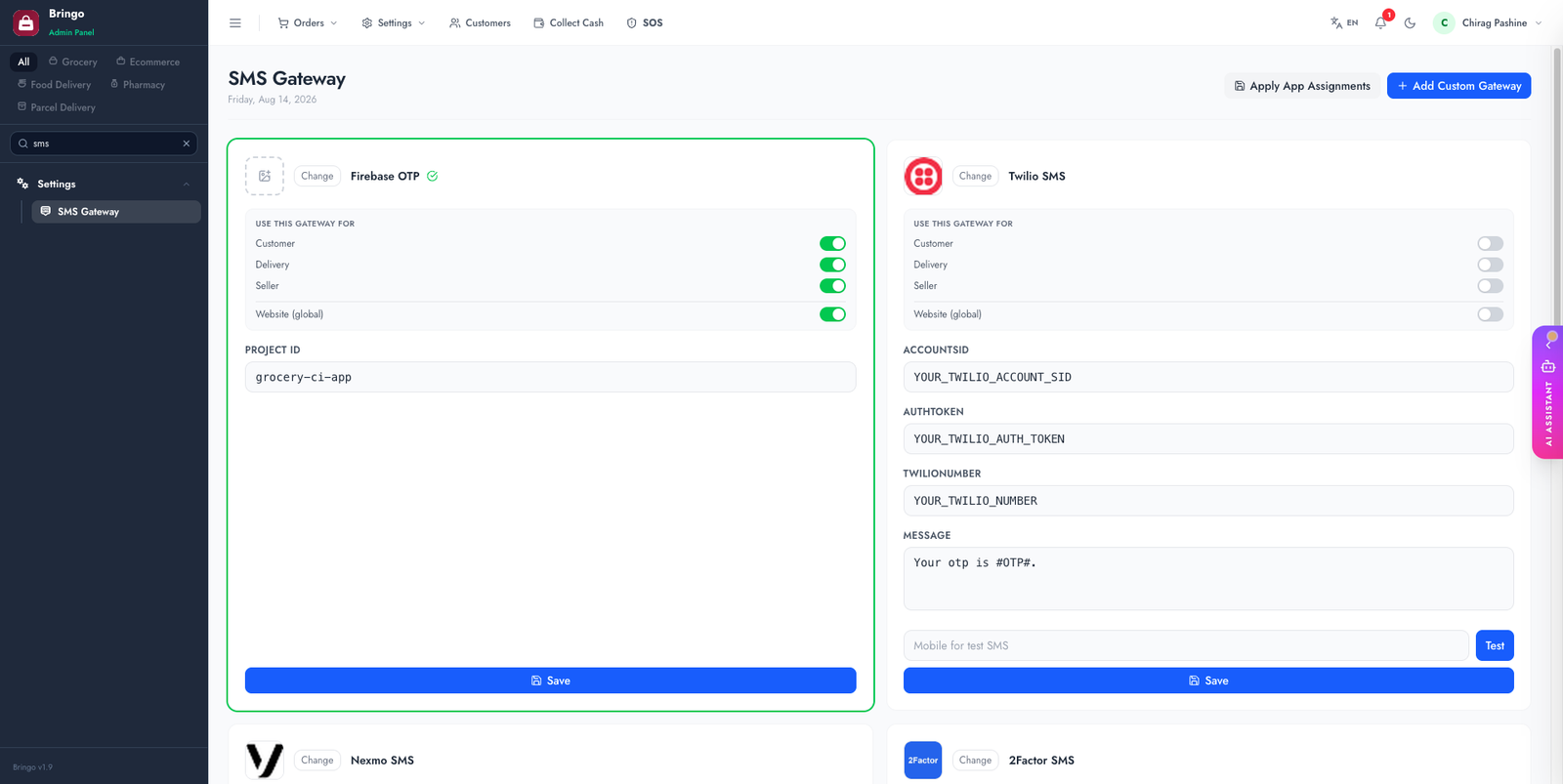
Twilio
console.twilio.com → Account info + a Messaging sender.
accountSidauthTokentwilioNumber — your Twilio phone number / sender idmessage — must contain #OTP#Vonage (Nexmo)
vonageApiKeyvonageApiSecretsmsSenderId — sender name/numbermessageText — must contain #OTP#MSG91
authKeyotpTemplateId — the DLT-approved templatesender (6-character DLT-approved id in India)route — transactional route (default 4)2Factor.in
apiKeyotp_template_name — the approved template registered in your 2Factor account.Fast2SMS
fast2sms.com → Dev API for the key, and your approved DLT sender/message ids.
apiKeysender_id — your DLT-approved 6-character id.message_id — the id of the approved DLT template that carries the OTP.Firebase OTP
Listed alongside the SMS providers, but it isn't one: the code is sent by Firebase from inside the mobile apps, so there is nothing to pay per message. It only needs your Firebase Project ID. Full setup is on the Firebase OTP page.
Add your own provider
If your provider isn't in the list, build it from the Add custom gateway form on the same page — no code required:
application/json, form-urlencoded or multipart.Authorization: Bearer YOUR_KEY.{"to":"#MOBILE#","message":"#MESSAGE#"} — the placeholders are substituted per send.Your OTP is #OTP#.Custom gateways behave like the built-in ones: assign them per audience and test them with the test-SMS box.
🇮🇳
In India, SMS senders and templates must be DLT-registered with your provider, or messages won't deliver. This is a provider/telecom requirement, not a product limitation.
Troubleshooting
👉
Next: Firebase OTP — a free alternative to SMS providers.