Seller App
Features
Everything a seller needs to run their store from a phone.
Dashboard & reports
At-a-glance sales, orders and earnings with charts, plus detailed reports.
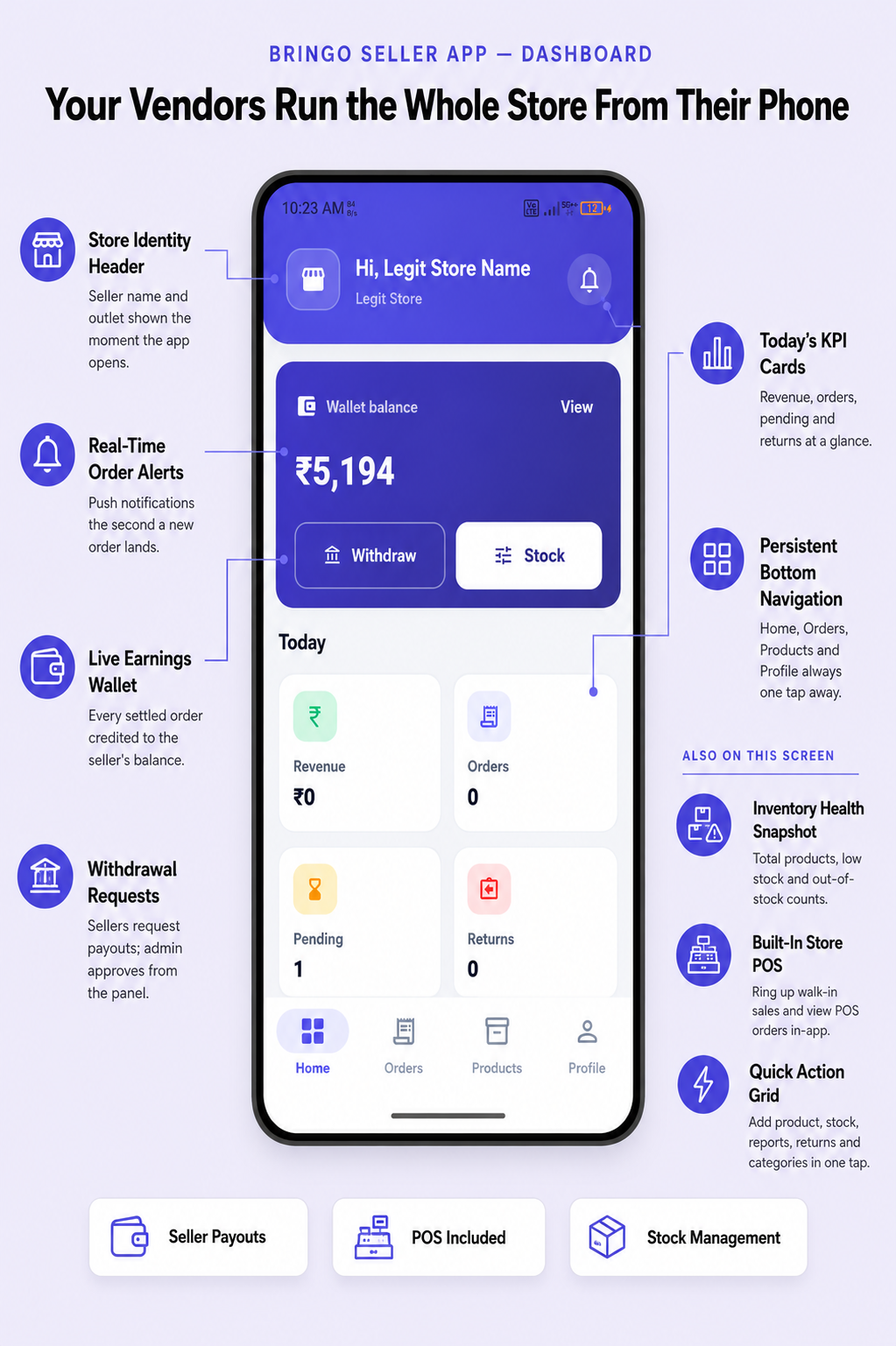
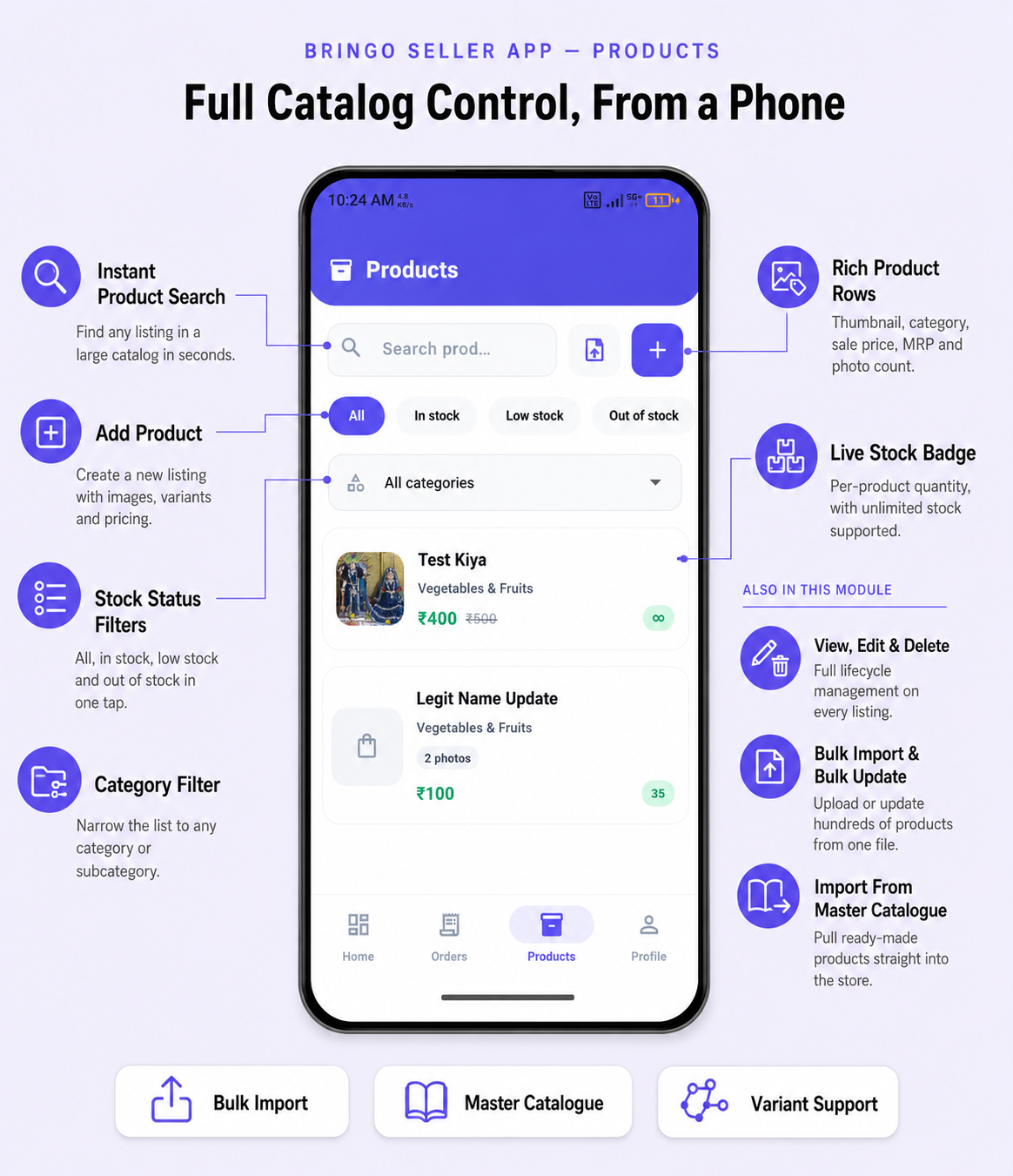
Products & inventory
Add and edit products, categories, prices and images; manage stock levels and get low-stock alerts.
Orders
Receive, accept, pack and complete orders with real-time push alerts; handle returns and cancellations.

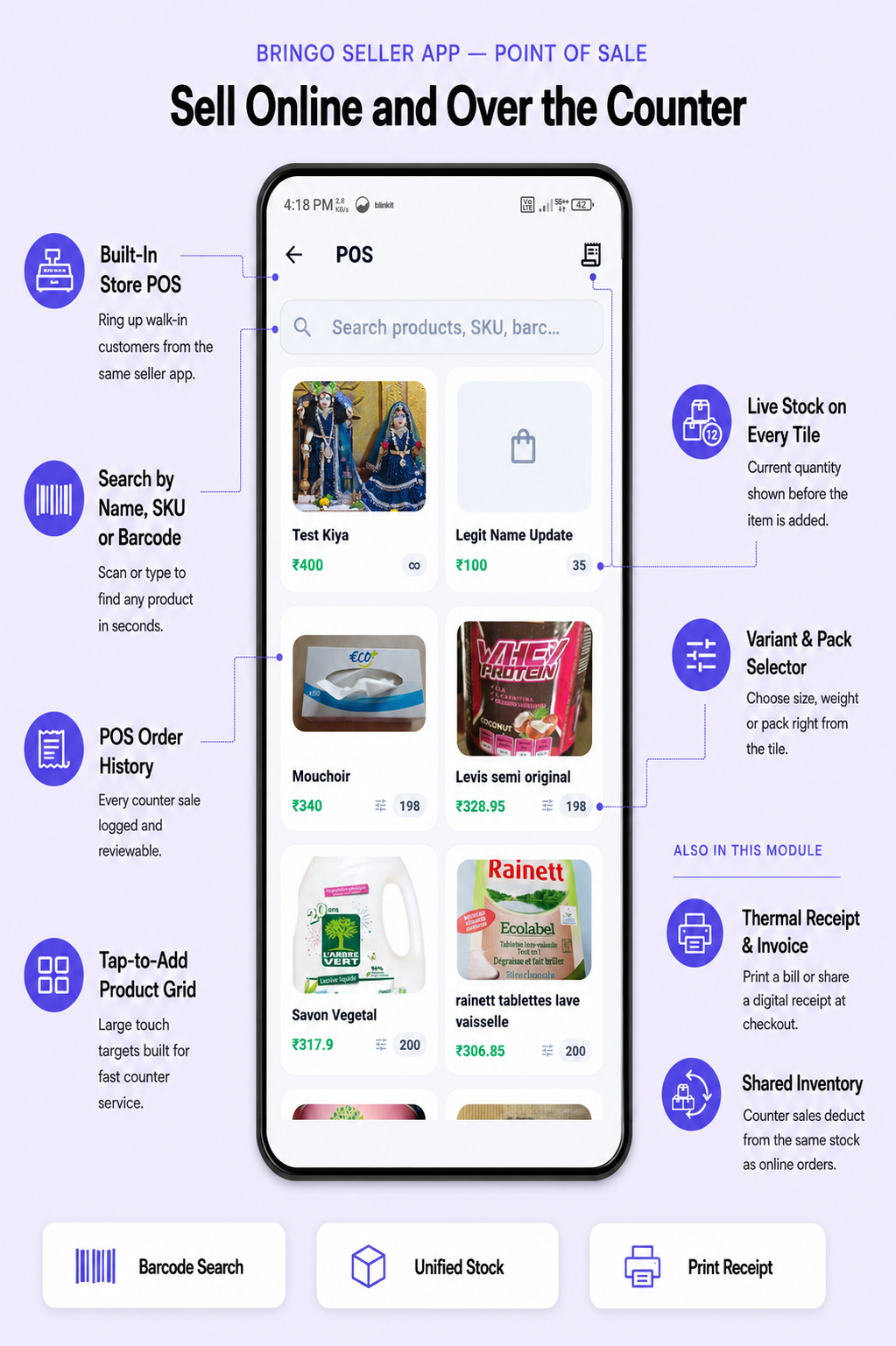
Point of Sale (POS)
A built-in POS for in-store/walk-in sales — add items, take payment and record the sale alongside online orders. Payment is recorded against a tender type (Cash, Card, UPI, Net Banking) rather than an online gateway — see POS payment methods.
Staff & customers
Invite staff with roles/permissions, and view your customers and their order history.
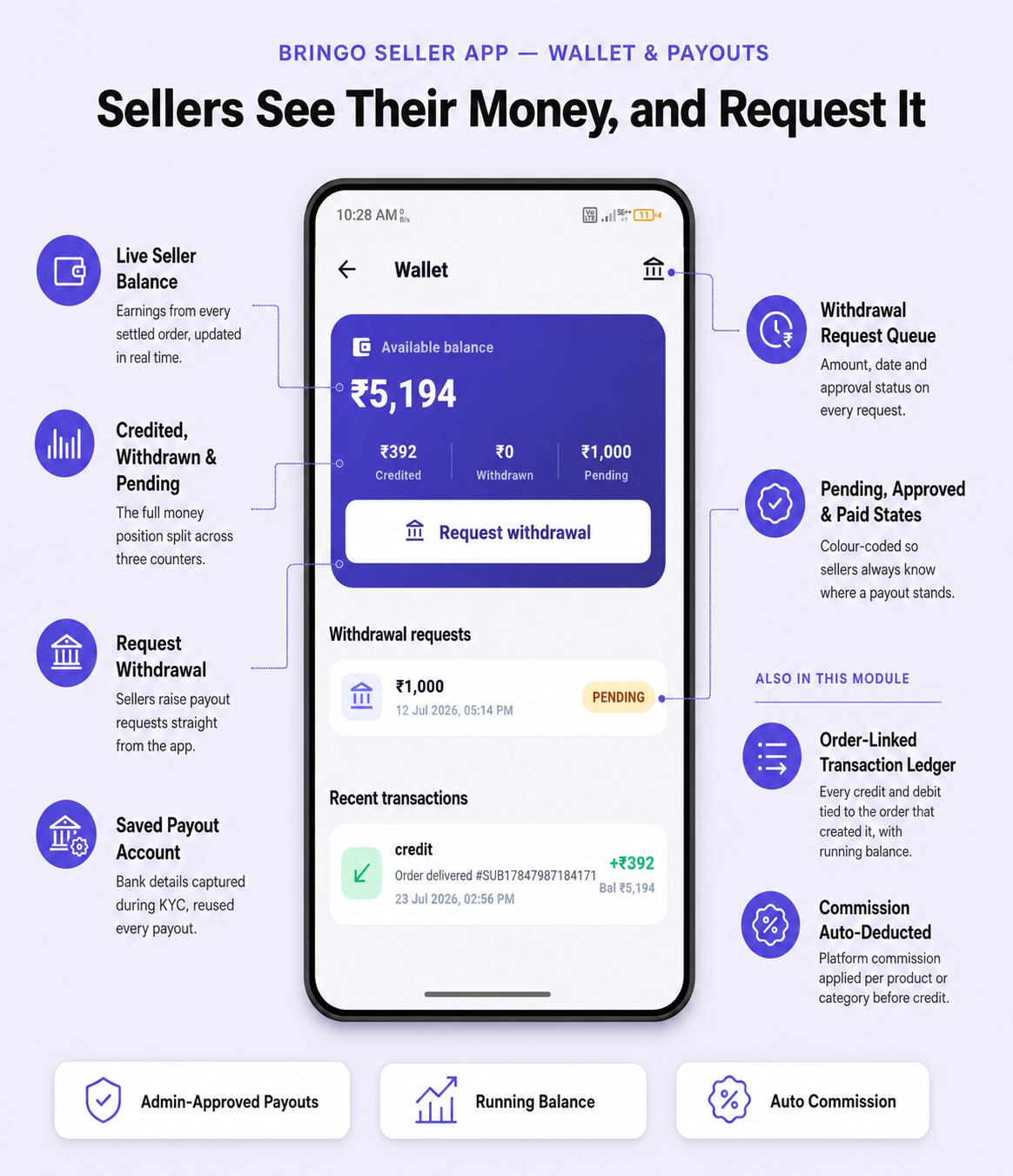
Wallet & payouts
Track earnings, view the wallet balance and request withdrawals.
Store, reviews & KYC
Configure store details and hours, respond to customer reviews, and upload KYC documents during onboarding.
Security & updates
- Optional biometric (fingerprint / Face ID) app lock.
- "What's new" announcements for feature updates.
- Push channels for orders and general notices.