Integrations
reCAPTCHA & Turnstile
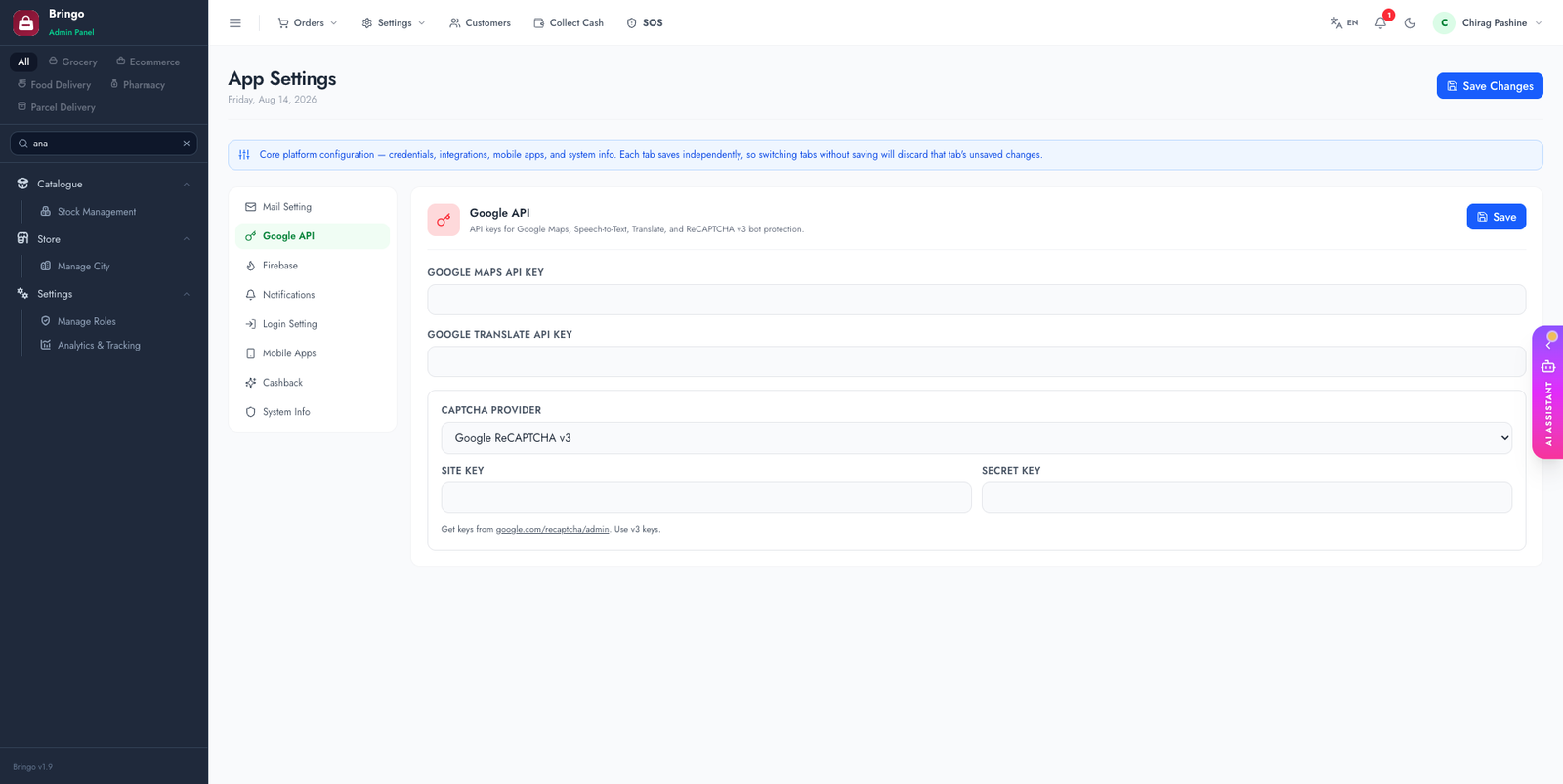
Protect login and sensitive forms from bots. The platform supports Google reCAPTCHA v3 and Cloudflare Turnstile — pick one, or leave the provider on Disabled. Configured in Admin → Settings → Google API.
🛡️
The captcha guards the admin login, forgot/reset password, and website auth forms. Turnstile is a privacy-friendly, free alternative to reCAPTCHA.
Option A — Google reCAPTCHA
- google.com/recaptcha/admin → register a new site.
- Choose reCAPTCHA v3 — v2 ("I'm not a robot") keys are not supported and will fail verification.
- Add your domain(s).
- Copy the Site Key and Secret Key into Admin → Settings → Google API (the captcha section at the bottom of that tab).
Option B — Cloudflare Turnstile
- Cloudflare dashboard → Turnstile → Add site.
- Add your domain and create the widget.
- Copy the Site Key and Secret Key into Admin → Settings → Google API (the captcha section at the bottom of that tab).
- Select Turnstile as the active provider and save.
Test it
Log out of the admin panel and open the login page — the captcha widget should appear. Submitting without solving it should be blocked.
🔑
Mind the difference: the Site Key is public (rendered in the page); the Secret Key is private (server-side verification). Don't swap them.
Which to choose
Whichever you pick, the secret key stays on the server and the site key is public — never swap the two fields.
Troubleshooting
www forms if you use both.settings table, then clear cache with php artisan config:clear.👉
Next: AI Assistant.