Integrations
Email / SMTP
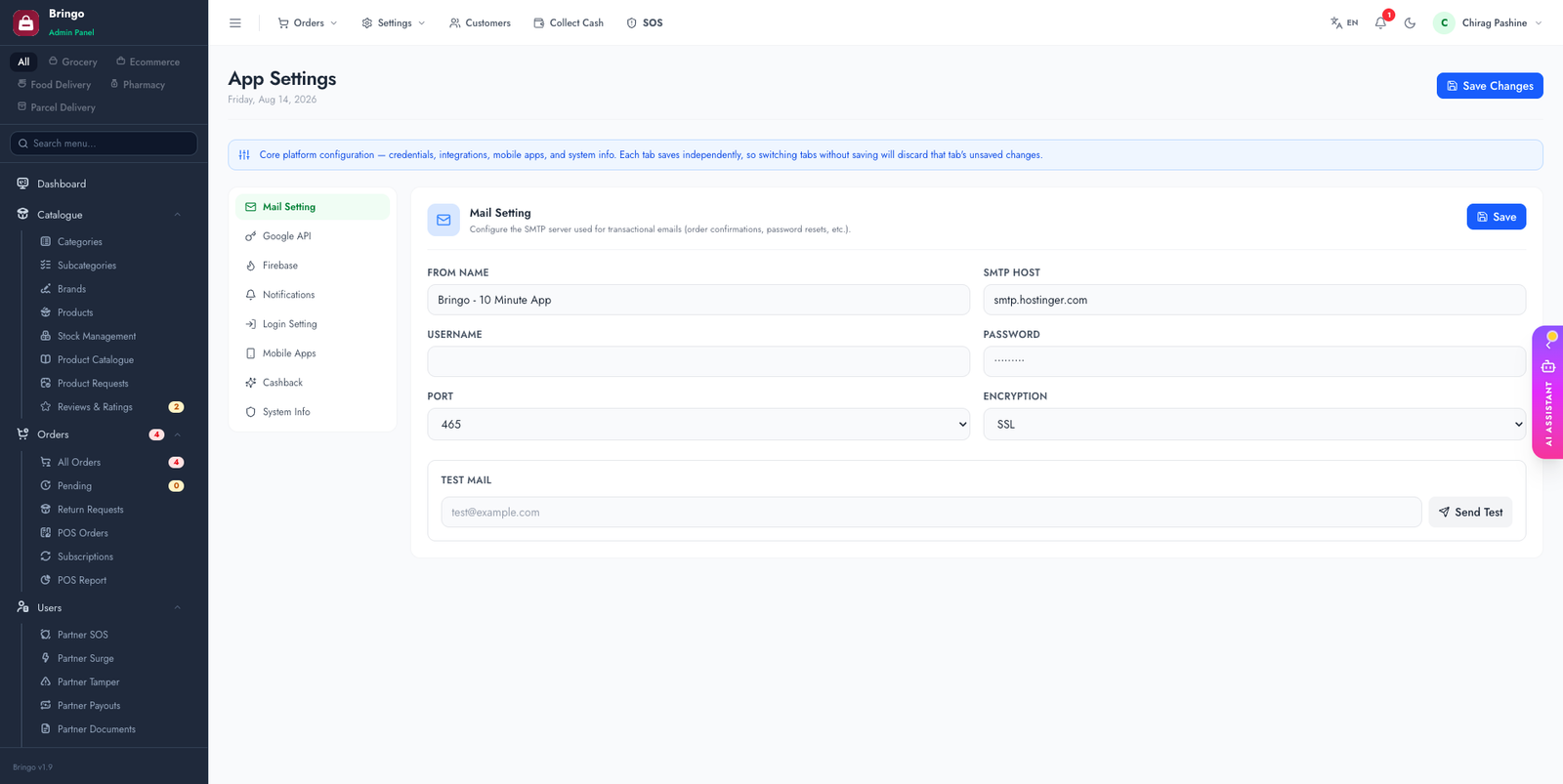
Transactional emails — order confirmations, password resets, account notices — are sent over SMTP. Configure them in Admin → Settings → Mail Setting.
📭
Do this before launch. The package ships with
MAIL_MAILER=log, which writes e-mails into storage/logs instead of sending them. Until you fill in the Mail Setting tab (or the .env values below), no customer ever receives an e-mail and nothing looks broken.Recommended — the admin panel
- Admin → Settings → Mail Setting.
- Enter host, port, username, password, and the from-address / from-name.
- Save, then use the Send test email button on the same screen.
These values are applied at send time and take precedence over .env, so you don't need shell access or a config cache rebuild to change them.
Alternative — .env
MAIL_MAILER=smtp
MAIL_HOST=smtp.your-provider.com
MAIL_PORT=465
MAIL_USERNAME=you@your-domain.com
MAIL_PASSWORD=your-mail-password
MAIL_FROM_ADDRESS="no-reply@your-domain.com"
MAIL_FROM_NAME="${APP_NAME}"
Port 465 (implicit SSL) and 587 (STARTTLS) are both detected from the port number — there is no MAIL_ENCRYPTION value to set. Run php artisan config:clear after editing.
Common providers
smtp.gmail.com, port 465 (SSL). Use an App Password, not your account password.smtp.sendgrid.net, user apikey, password = your API key, port 587.smtp.mailgun.org, port 587, SMTP credentials from your domain.Test delivery
Use Admin → Settings → Send test email, or trigger a password reset, and confirm it arrives (check spam too).
📭
For reliable inboxing, set up SPF, DKIM and DMARC DNS records for your sending domain, and use a real
MAIL_FROM_ADDRESS on that domain — not a free Gmail/Yahoo address.👉
Related: customize the wording of these emails in Email Templates.