Customer App
Features
A tour of what shoppers can do in the Customer app. Use the screenshot placeholders to add your own captures.
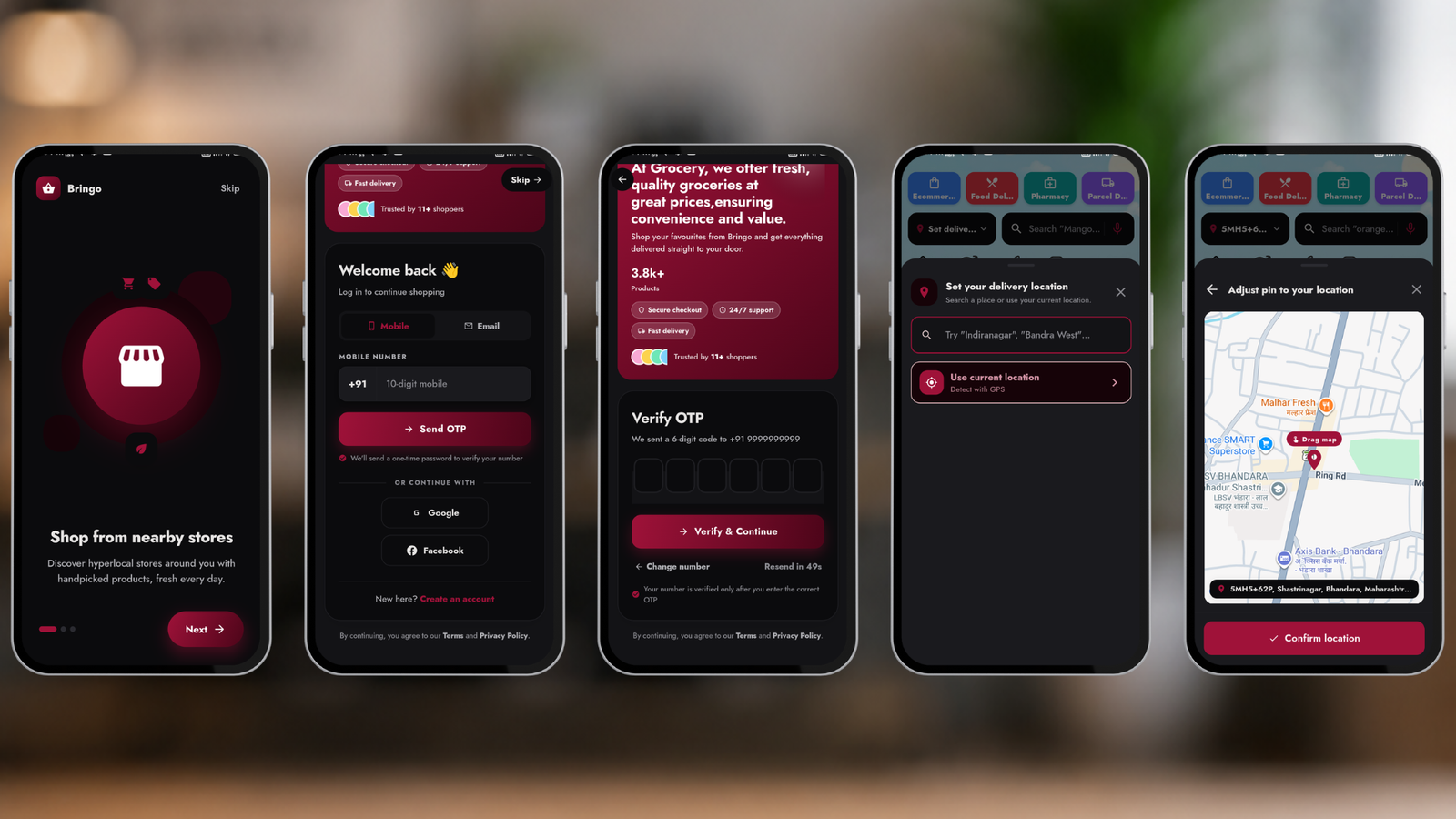
Onboarding & sign-in
First-launch onboarding, language selection, and flexible sign-in: phone OTP, email/password, Google, Facebook and Apple. Address & location permission for nearby stores.
Home & modules
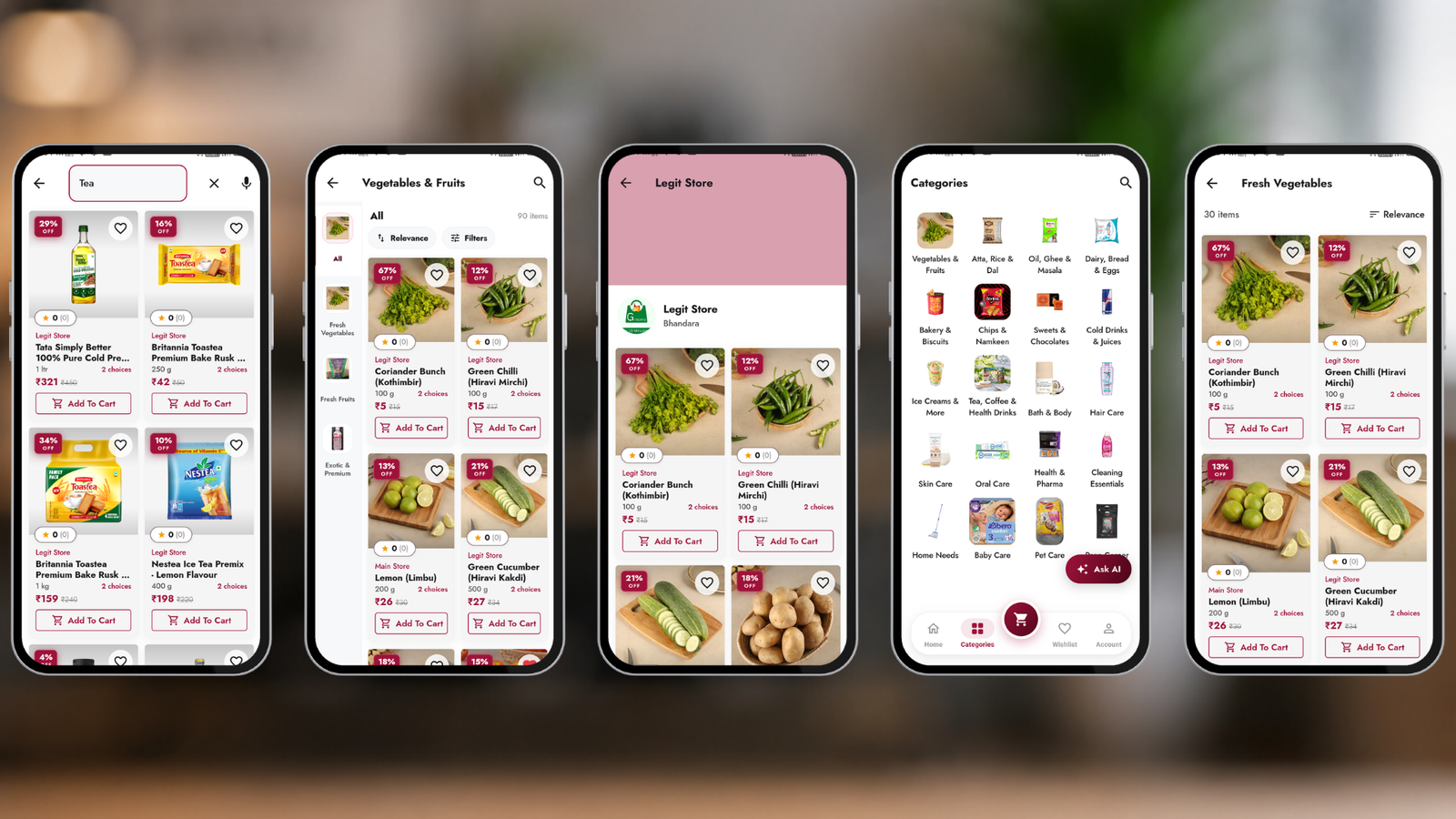
A personalised home feed per business module (Grocery, Food, Pharmacy, Parcel). Banners, categories, featured stores and product carousels — all driven by your admin homepage builder.

Browse, search & voice search
Browse by category, view stores on a map, and search products — including hands-free voice search. Popular searches and placeholders are configurable from admin.
Product details & cart
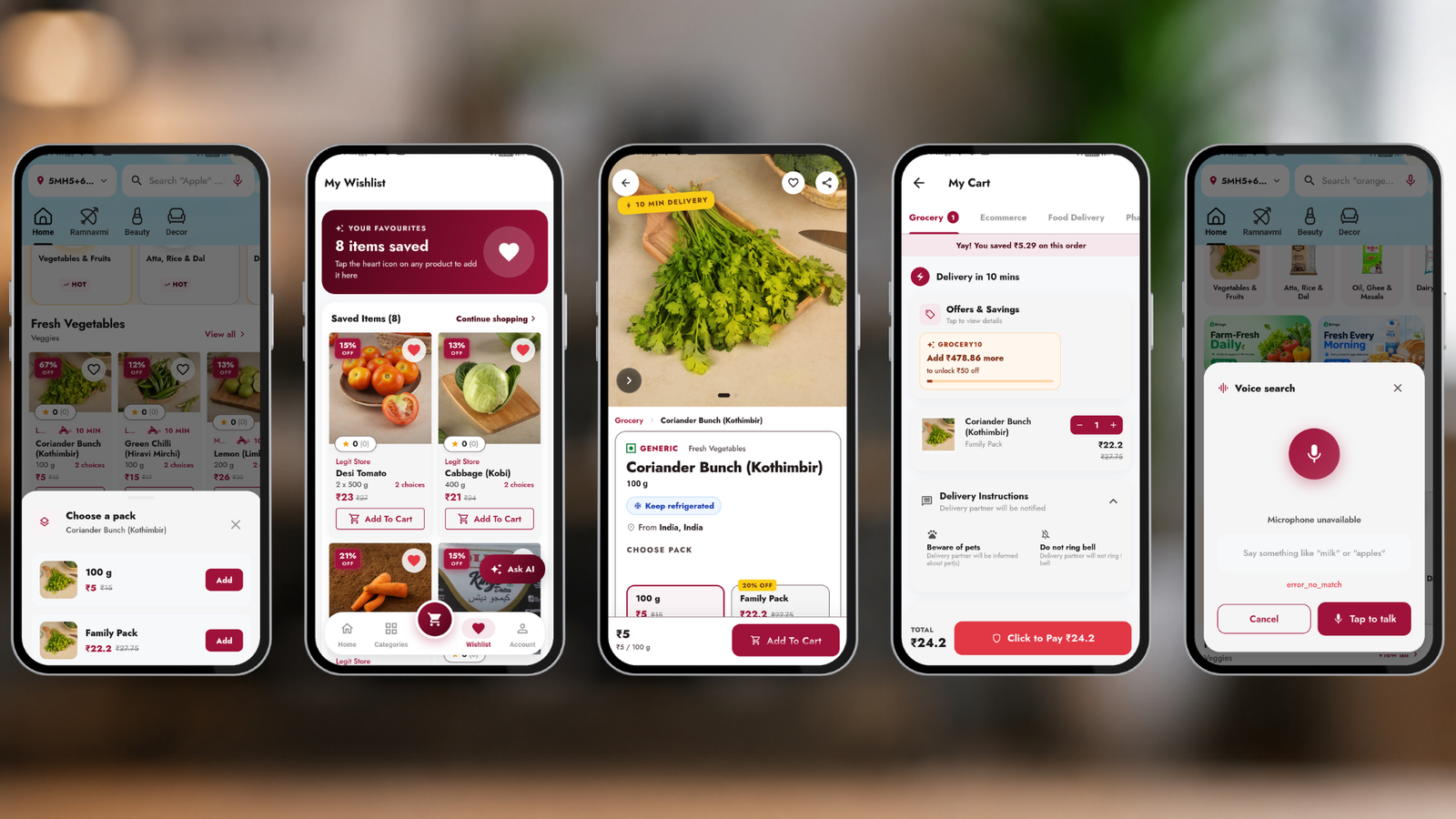
Rich product pages with variants/add-ons, wishlist, and an in-app cart with quantity controls and live totals.
Checkout & payments
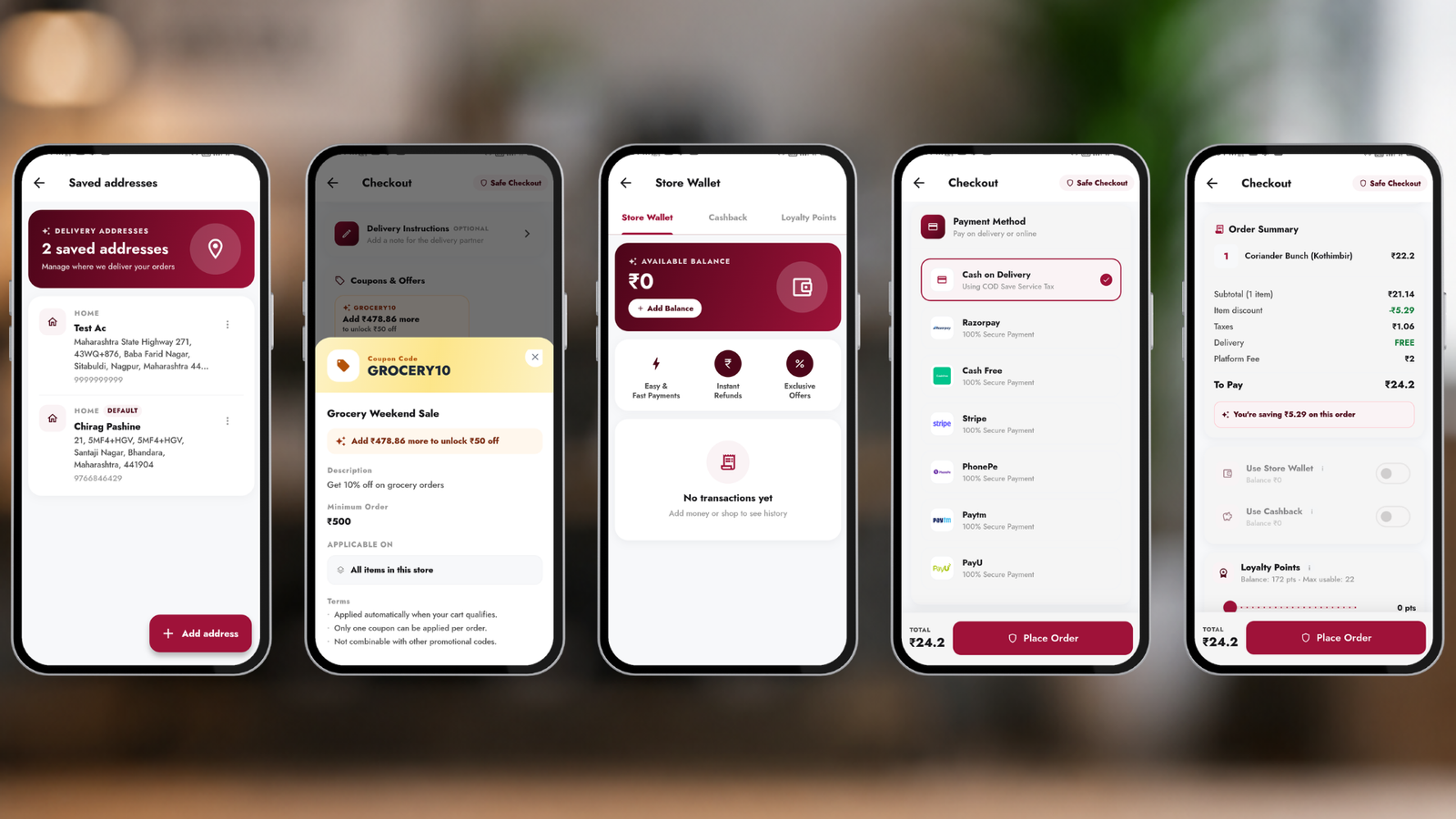
Address selection, delivery slots, coupons, wallet, and payment via Razorpay or other gateways (with a secure webview fallback) — plus cash on delivery.
Order tracking
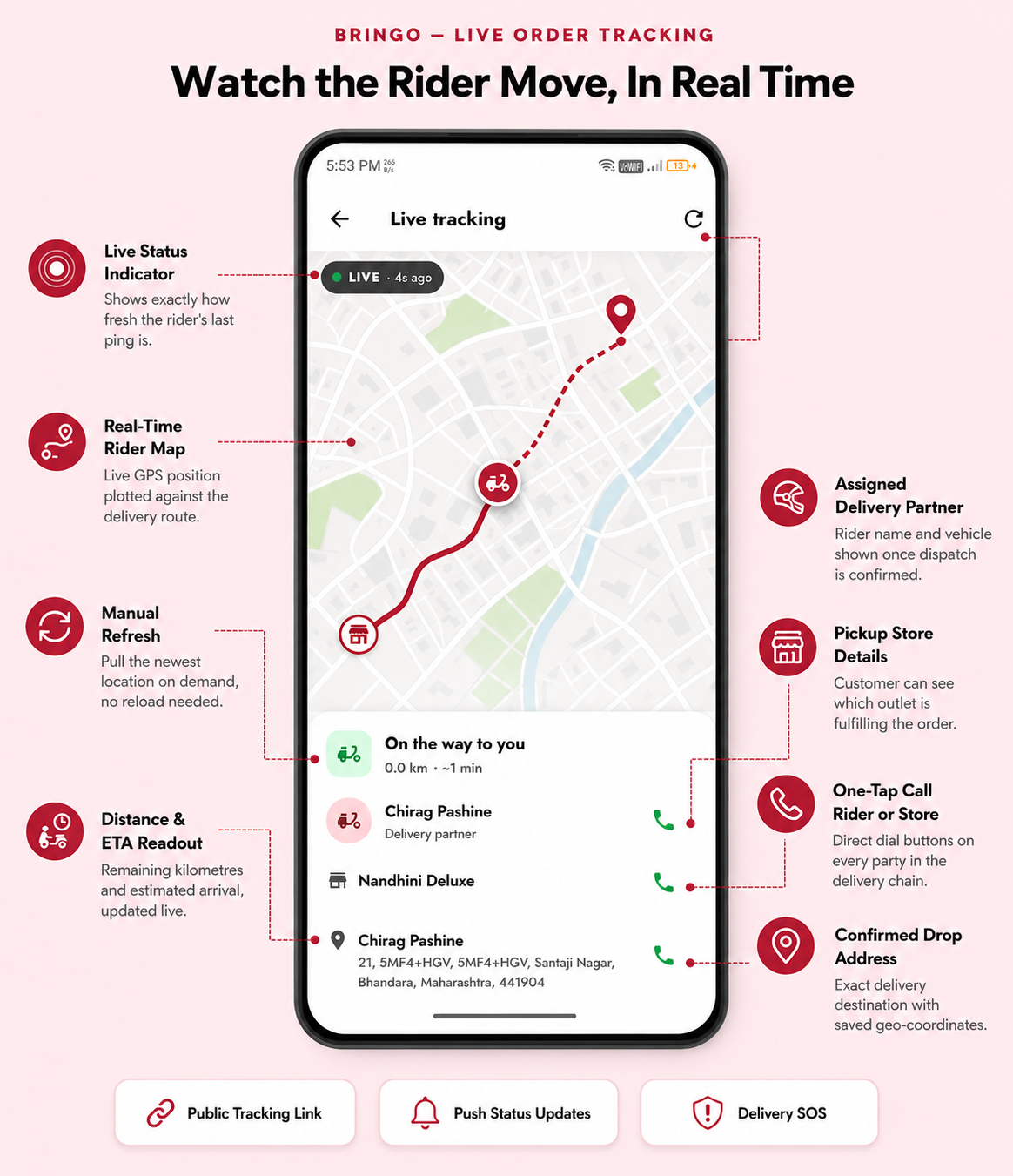
Real-time order status and live map tracking of the delivery partner, with rider contact and ETA.
Wallet, cashback & coupons
A built-in wallet (top-up & pay), automatic cashback, seasonal campaigns, loyalty points and coupon codes.

Refer & earn / affiliate
Customers share a referral link to earn rewards; an affiliate program tracks sign-ups and earnings.
Parcel delivery
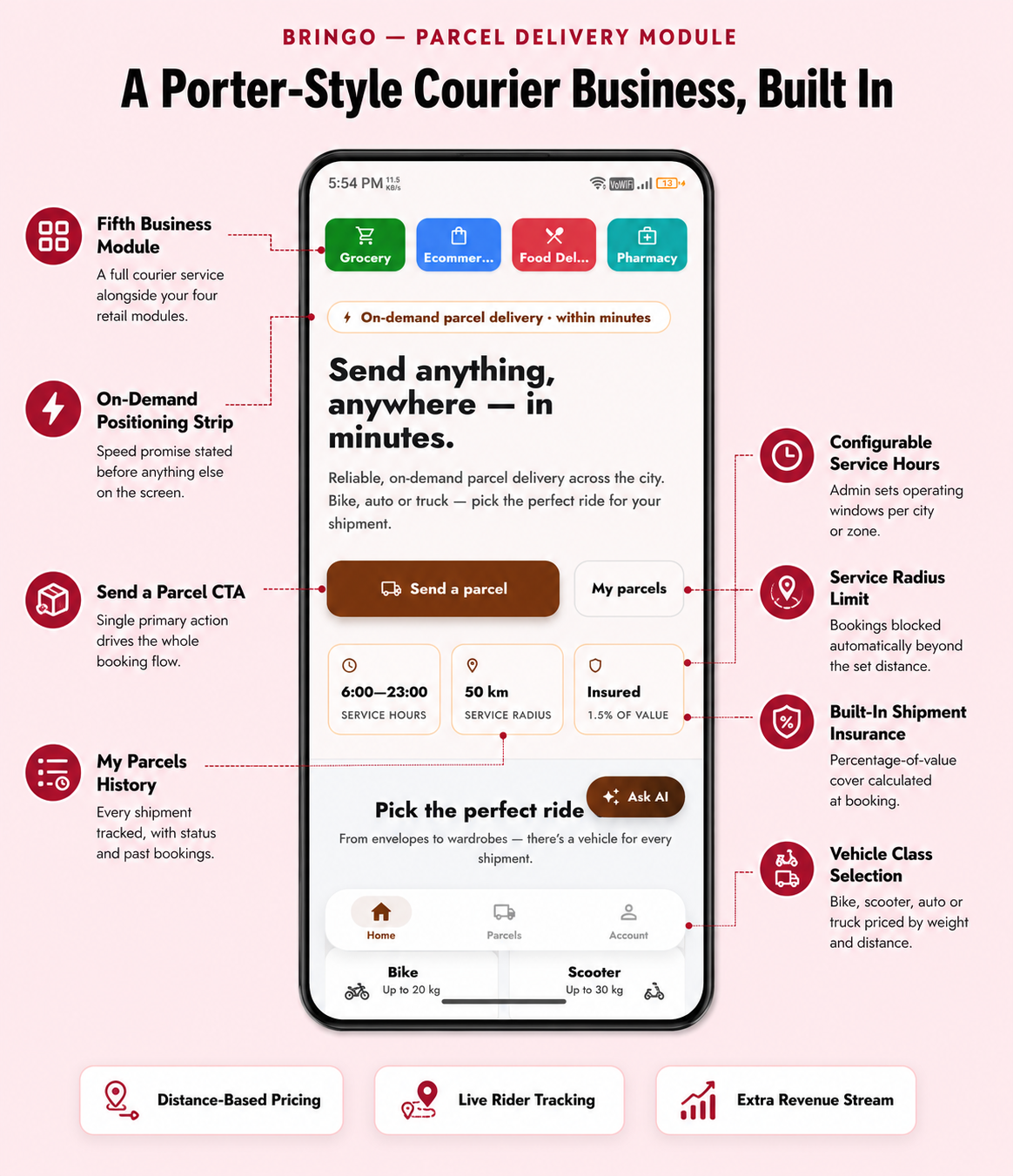
If the Parcel module is enabled, customers book point-to-point deliveries by picking pickup & drop locations on a map.
Account & support
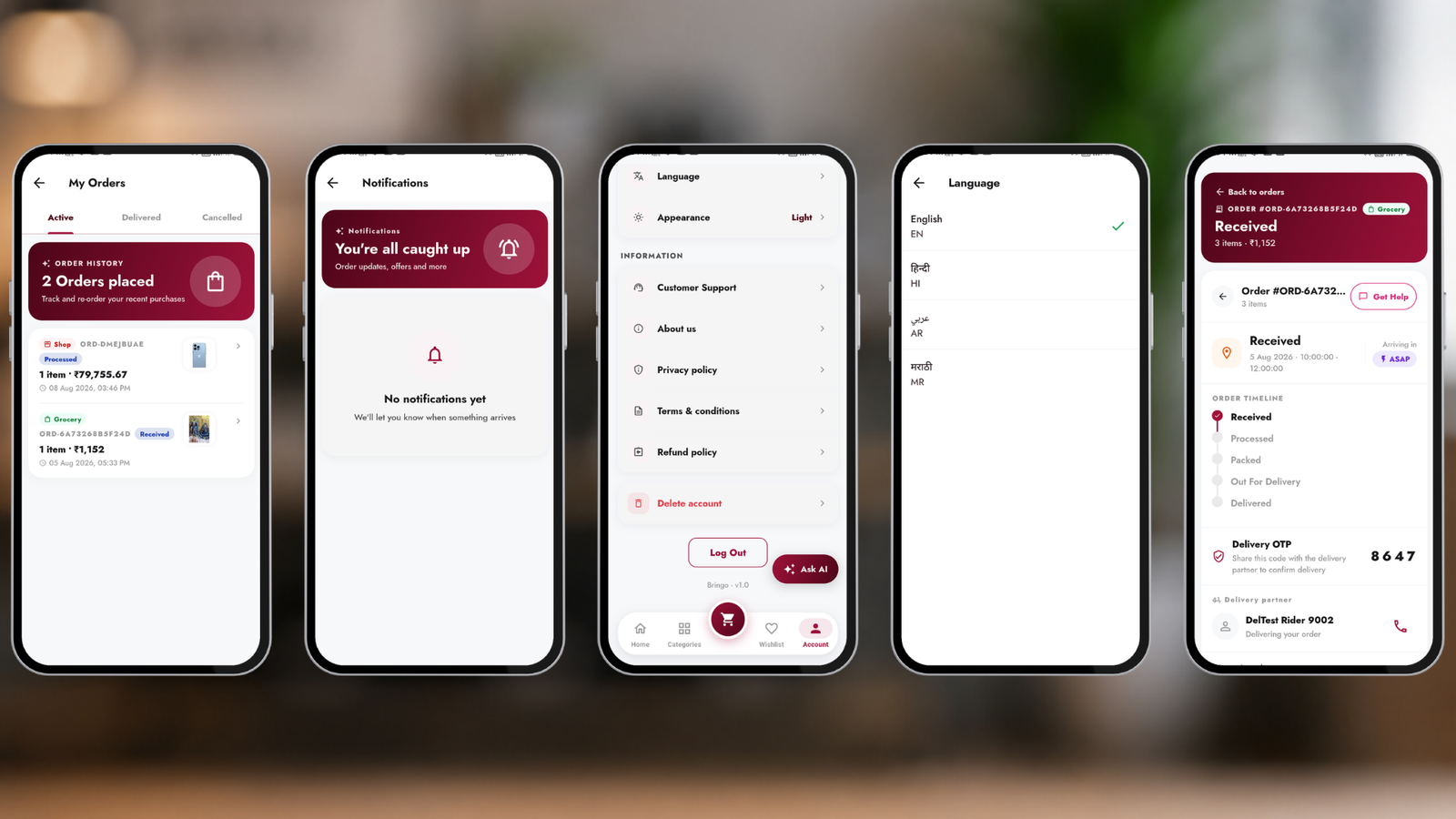
Profile, saved addresses, order history, wishlist, notifications, language switch, support/help, and policy pages.
Other niceties
- Push notifications for order updates & promotions.
- Force-update support (require a minimum app version from admin).
- Theming that follows your admin colours, light & dark friendly.
- Deep links open products/stores/orders directly.