Store Setup
Media Storage
Product images, logos and uploads can be stored on your server (default) or on Amazon S3 / S3-compatible storage.
Local storage (default)
Files are saved under storage/app/public and served via a symlink. Make sure you've run:
php artisan storage:linkThis creates public/storage → storage/app/public. Without it, uploaded images won't display.
🖼️
Images upload but don't show? 99% of the time the storage symlink is missing or
APP_URL is wrong. Re-run storage:link and confirm APP_URL.Amazon S3 (optional)
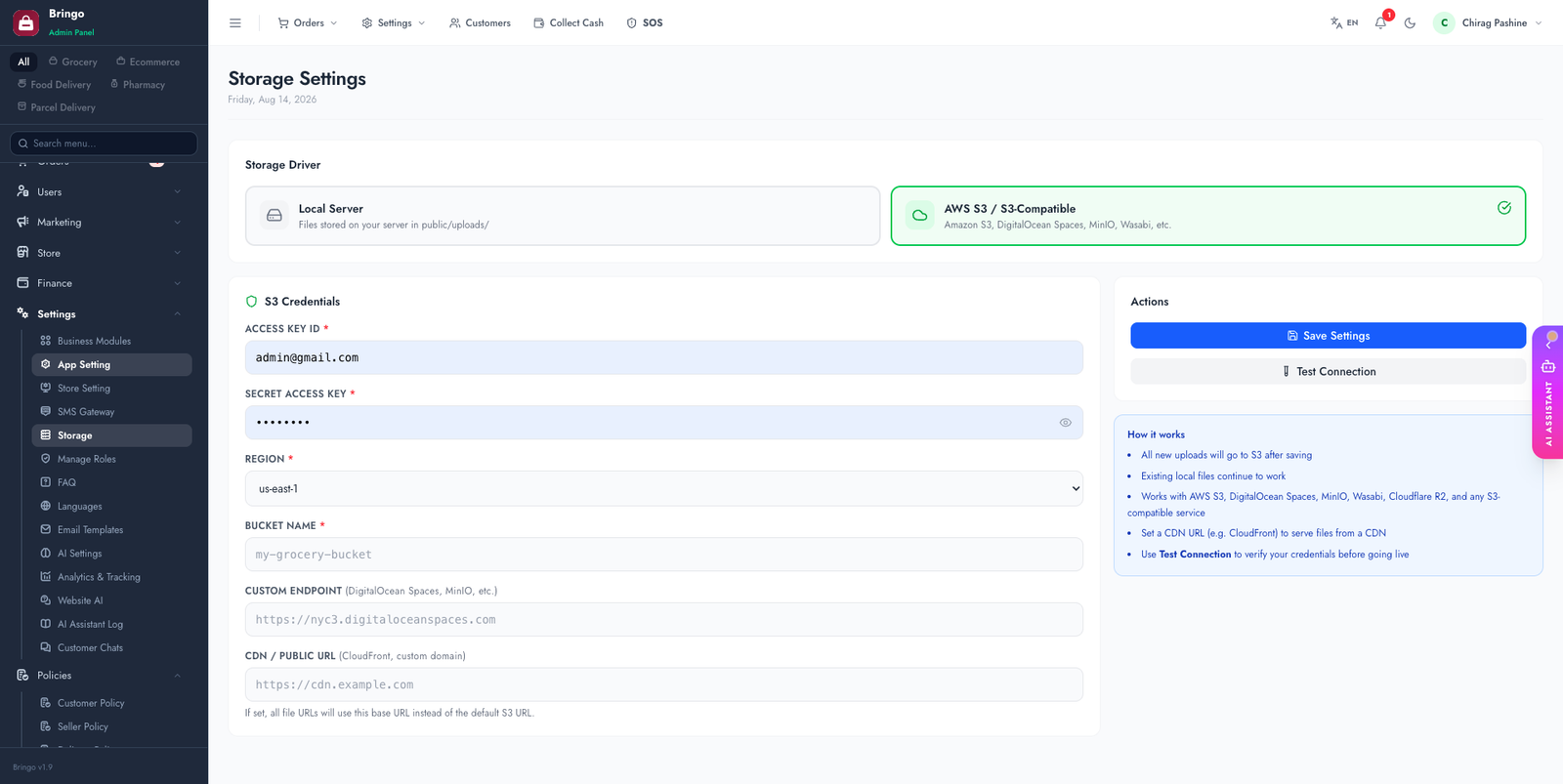
For scale or multiple servers, switch to S3. Admin → Settings → Storage:
- Select the S3 (AWS) driver.
- Enter Access Key, Secret Key, Region and Bucket.
- (Optional) a custom endpoint/URL for S3-compatible providers (DigitalOcean Spaces, Wasabi, MinIO).
- Test the connection, then save.
☁️
S3 keeps your media off the web server (faster, easier backups, survives server rebuilds). Make the bucket's objects publicly readable, or front it with a CDN.
👉
Next: start rebranding the apps — Customer App → Overview.